View Your YSU Billing Statement
Billing statements are sent to YSU student email and authorized user emails approximately once a month during the semester, and they can be retrieved via the Penguin Portal. All billing statements and billing activity emails are sent from campuspayments@touchnet.com. Billing statements will include all activity since the last billing date and the next billing due date.
For more information on the billing due dates, please visit University Bursar | YSU
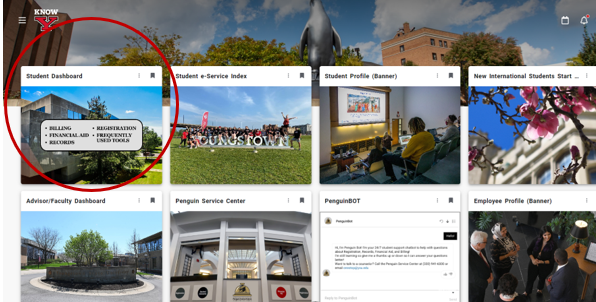
1. Log into the Penguin Portal. Click on "Student Dashboard".
2. Click on "Bill, Payment and Tax Information".
Image

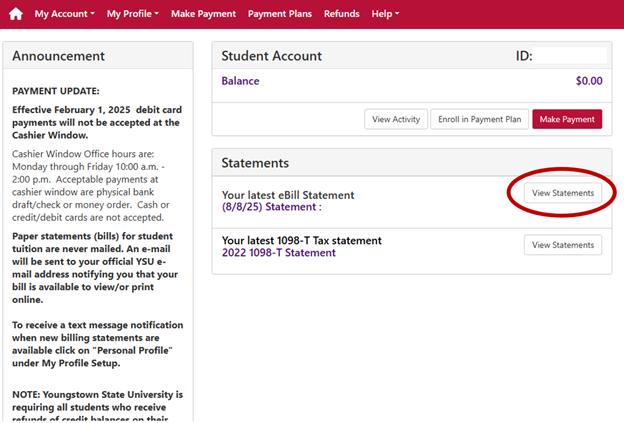
3. In the “Statements” section, click on “View Statements” for your latest eBill Statement.
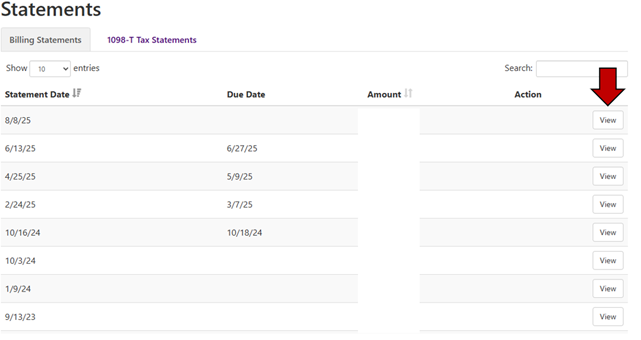
4. You will then be able to click on “View” for any statement date you wish to view.