Apply for Graduation
Undergraduate students must have an approved Graduation Evaluation completed prior to applying to graduate. The Graduation evaluation is typically requested at least 2 semesters prior to the term of graduation. Graduate students do not require a Graduation evaluation. For information on when the Graduation Application will open for your desired term, please review important information on graduation including Graduation Application deadlines.
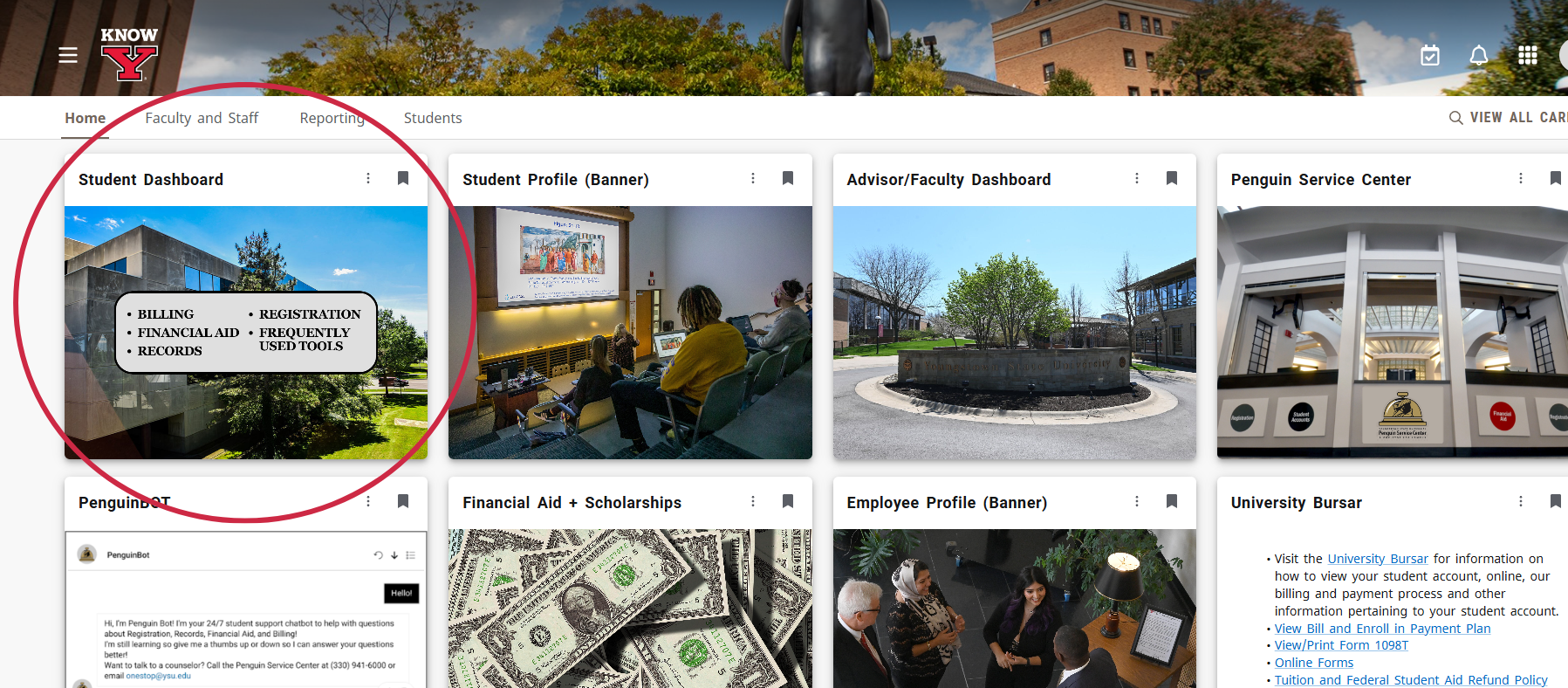
Log into the Penguin Portal. From the home page, select the "Student Dashboard" card.
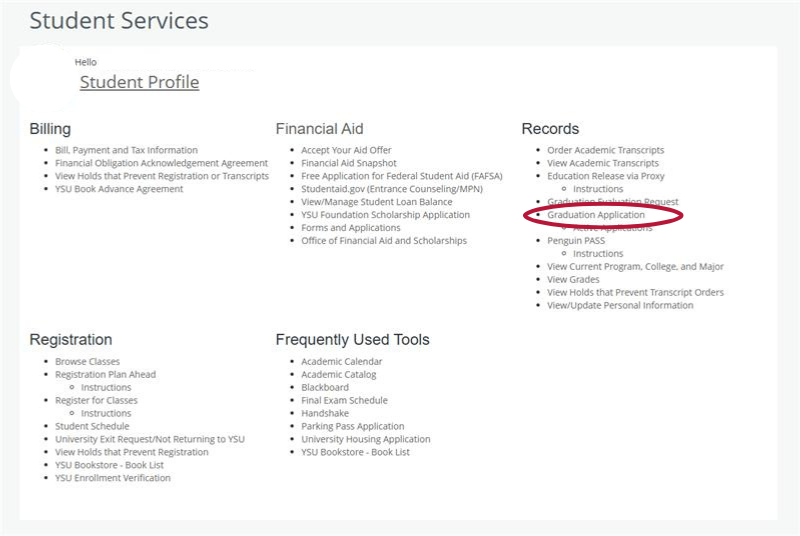
Under the Records heading, select "Graduation Application"
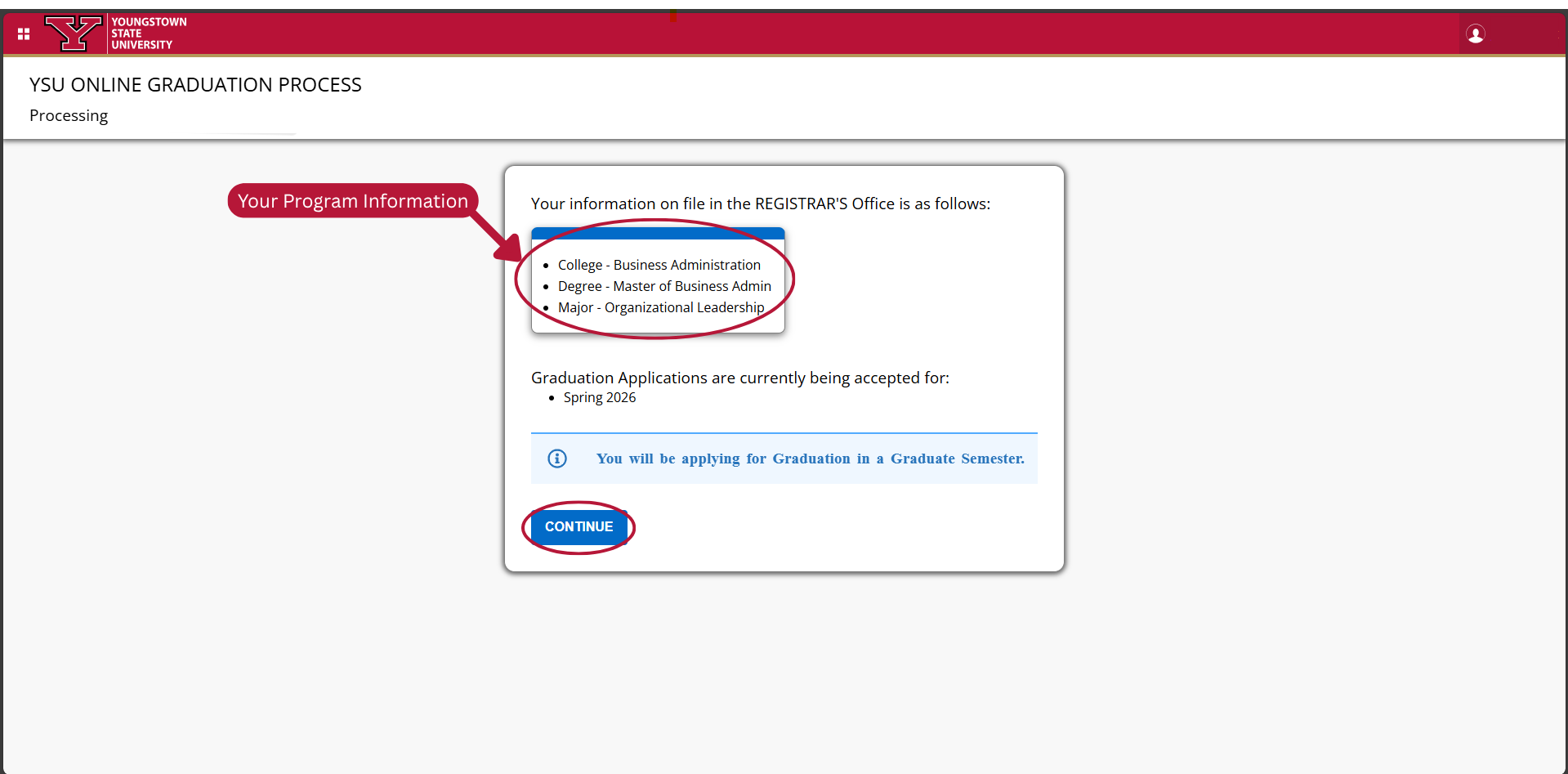
Review your program information listed and select "Continue"
If you receive an error message regarding not being approved for graduation or the curriculum information not matching the graduation evaluation request, please contact your academic advisor for assistance.
Select whether you will attend the commencement ceremony, then select "Continue." There is no additional cost to attend the ceremony, so we recommend selecting "Yes" if you are unsure.
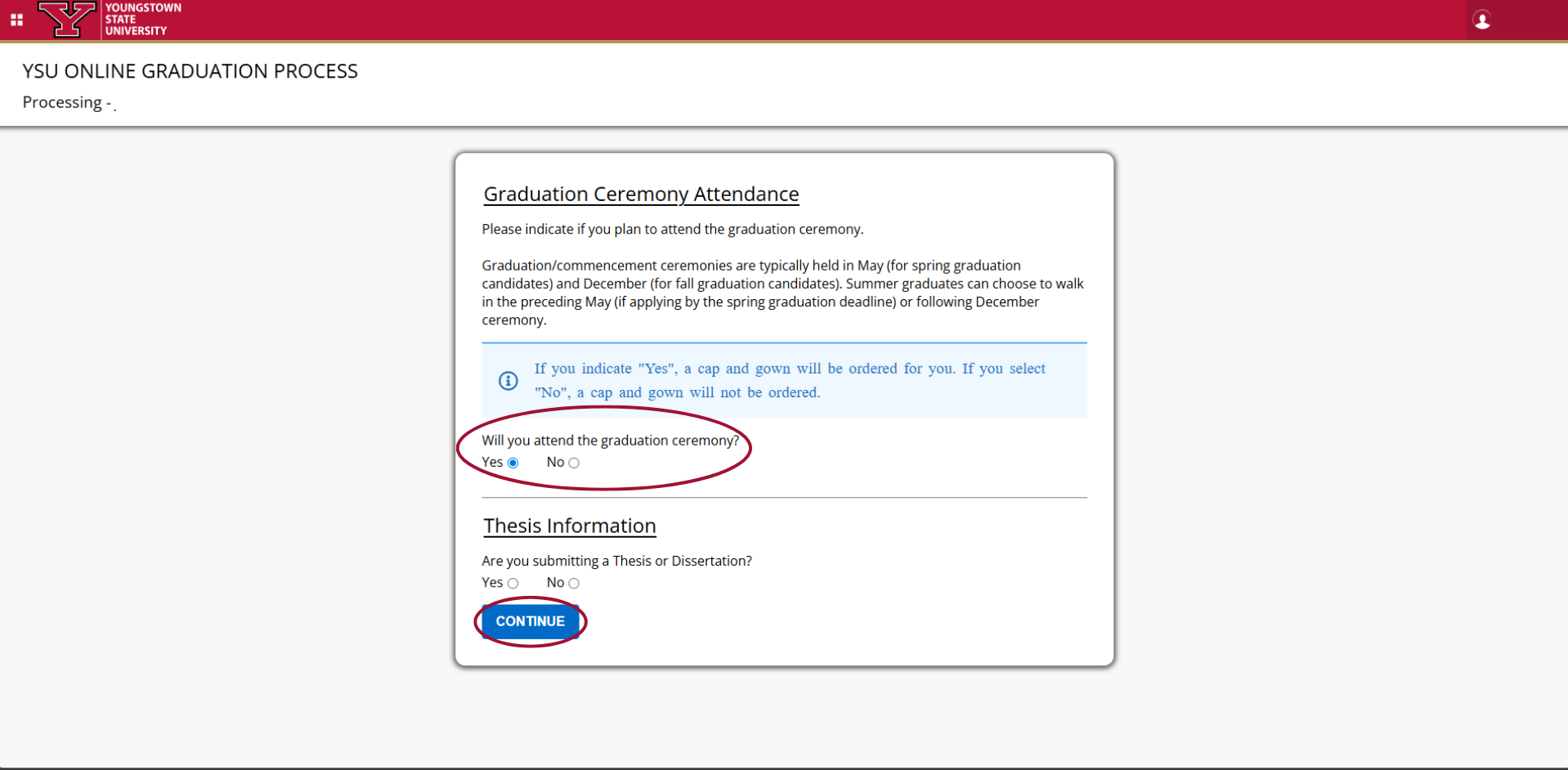
*If you are a graduate student, you will be asked about the submission of a thesis or dissertation. If you are not completing a thesis/dissertation, select "No" and then "Continue." If you are unsure if you are required to complete a thesis/dissertation, please contact your program coordinator.
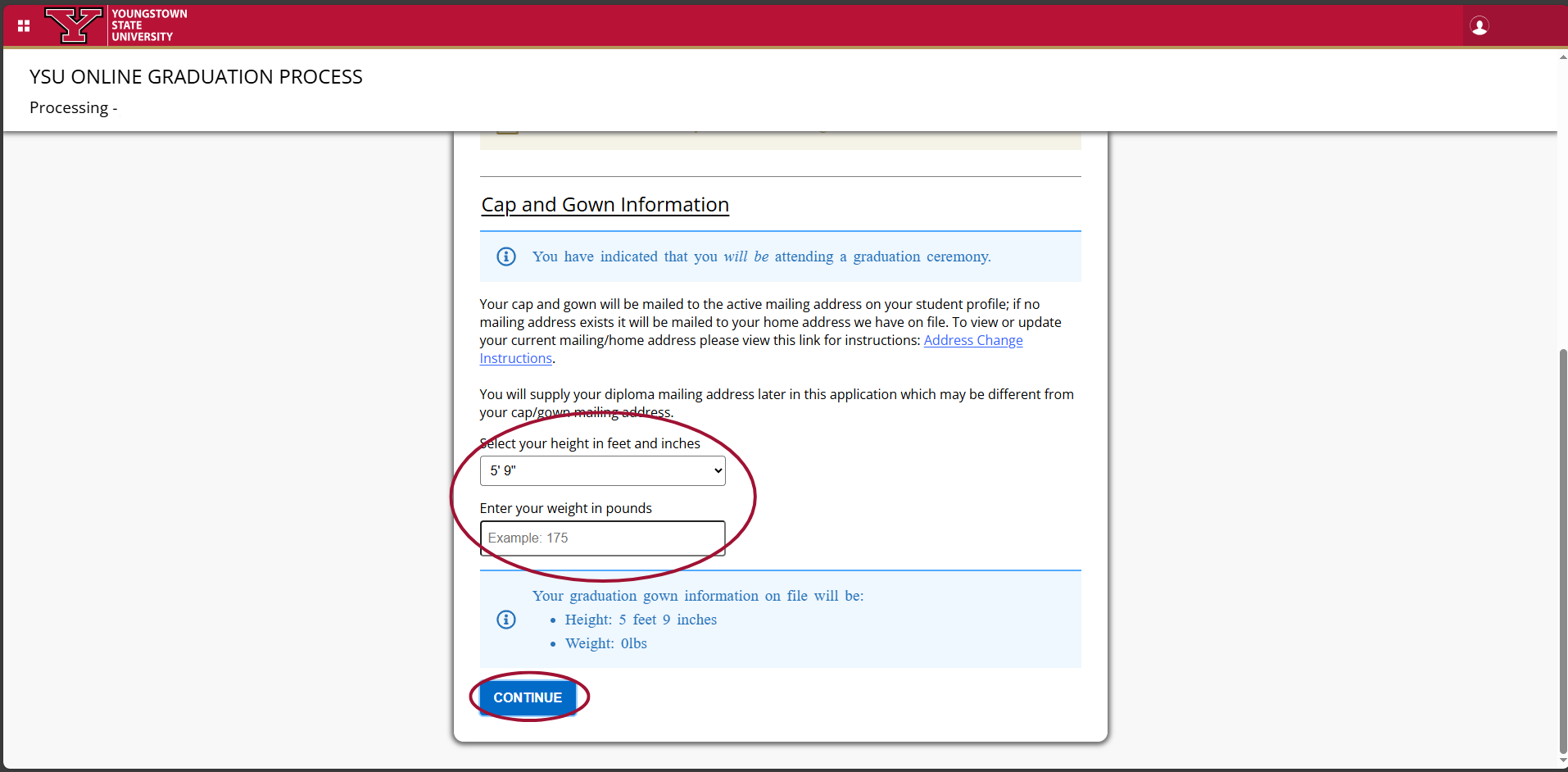
Enter information for cap and gown ordering. Verify the information is correct before selecting "Continue"
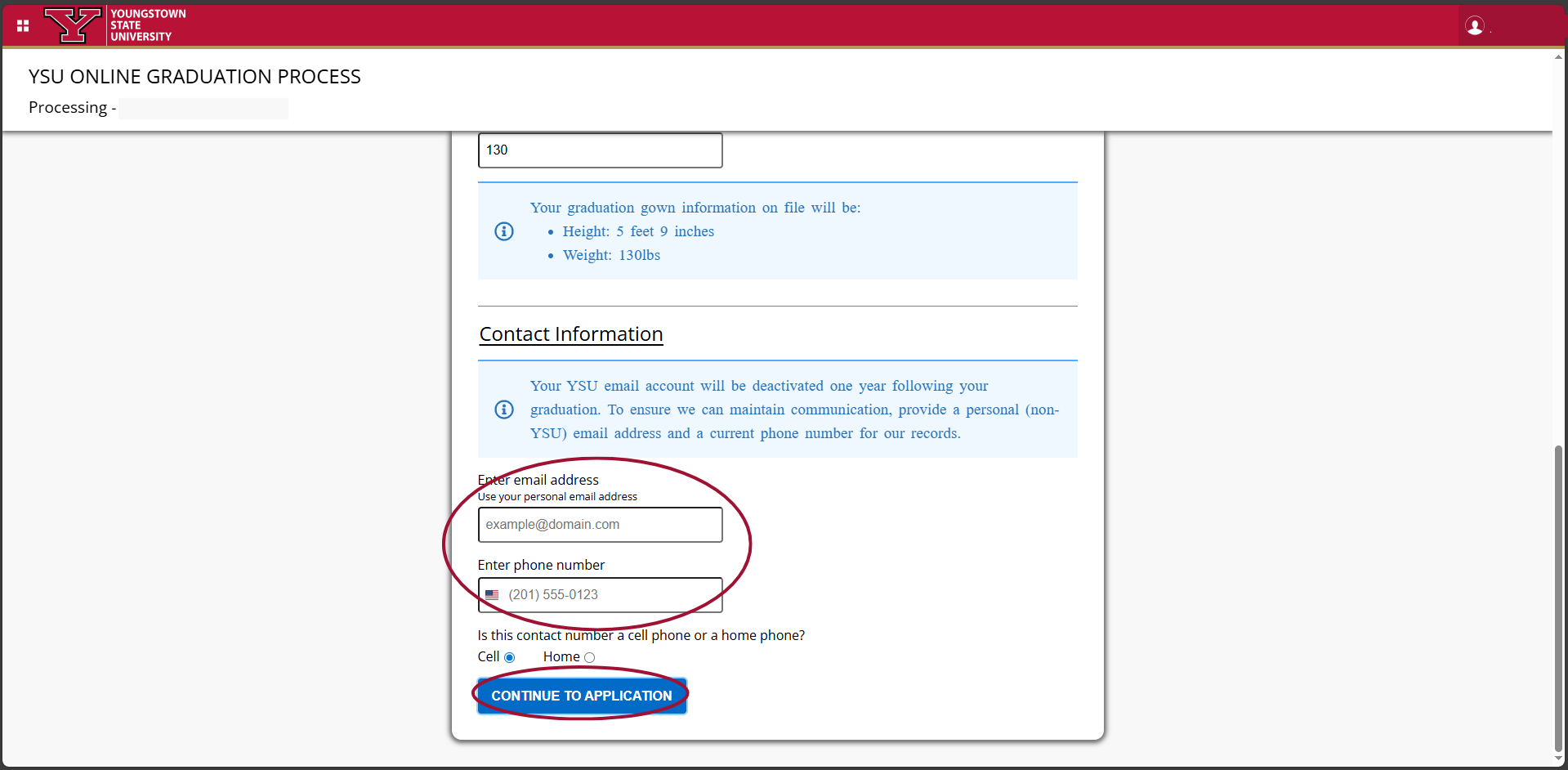
Enter your personal non-YSU email and phone number. Verify the information provided is correct before selecting "Continue to Application"
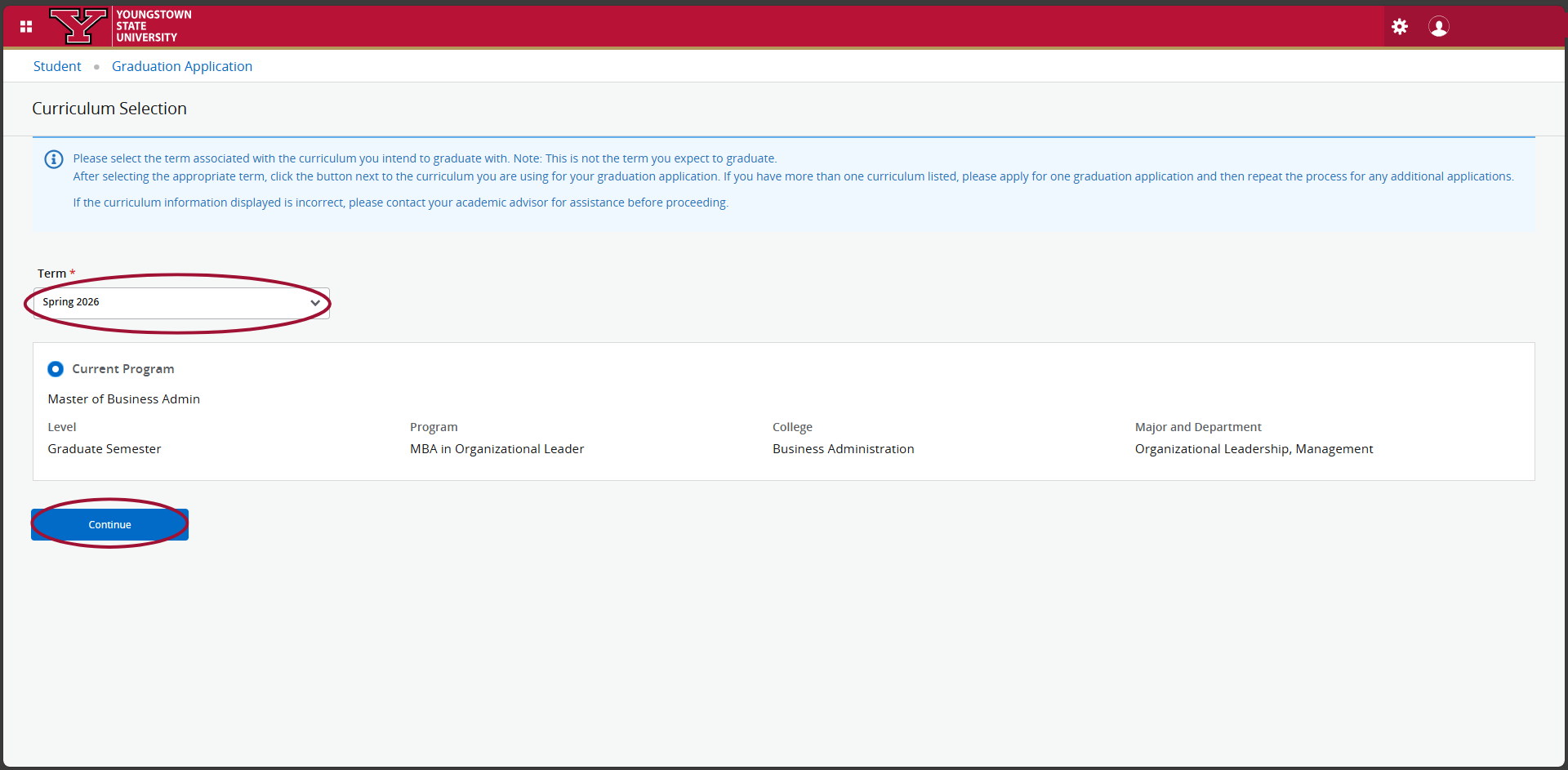
Open the "Term" drop-down, select your curriculum term and current program information, then select "Continue"
Please note that this selection is associated with your program curriculum information, not your graduation term.
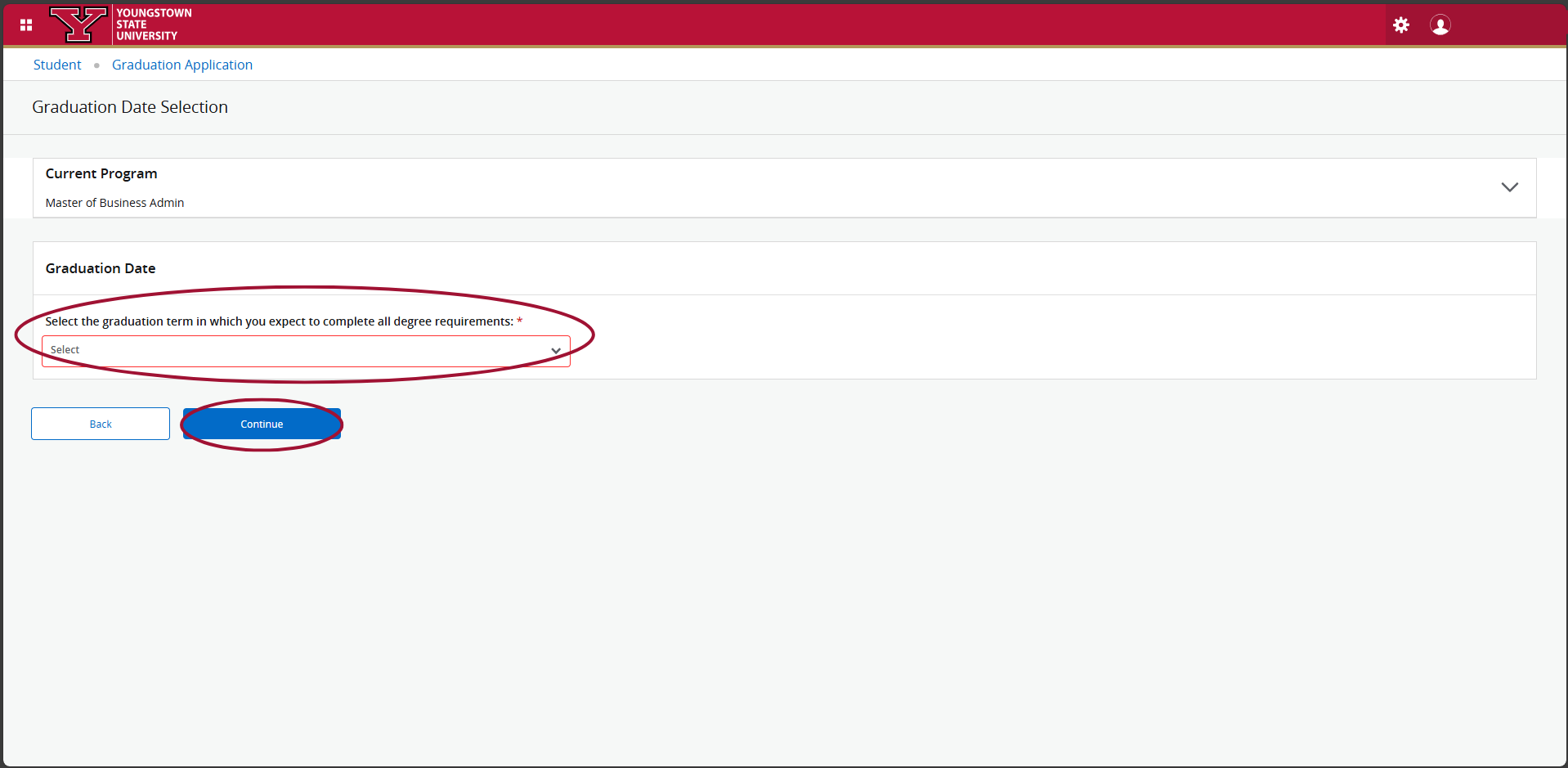
Open the "Graduation Date" drop-down, select your graduation date options provided, then click the "Continue" button.
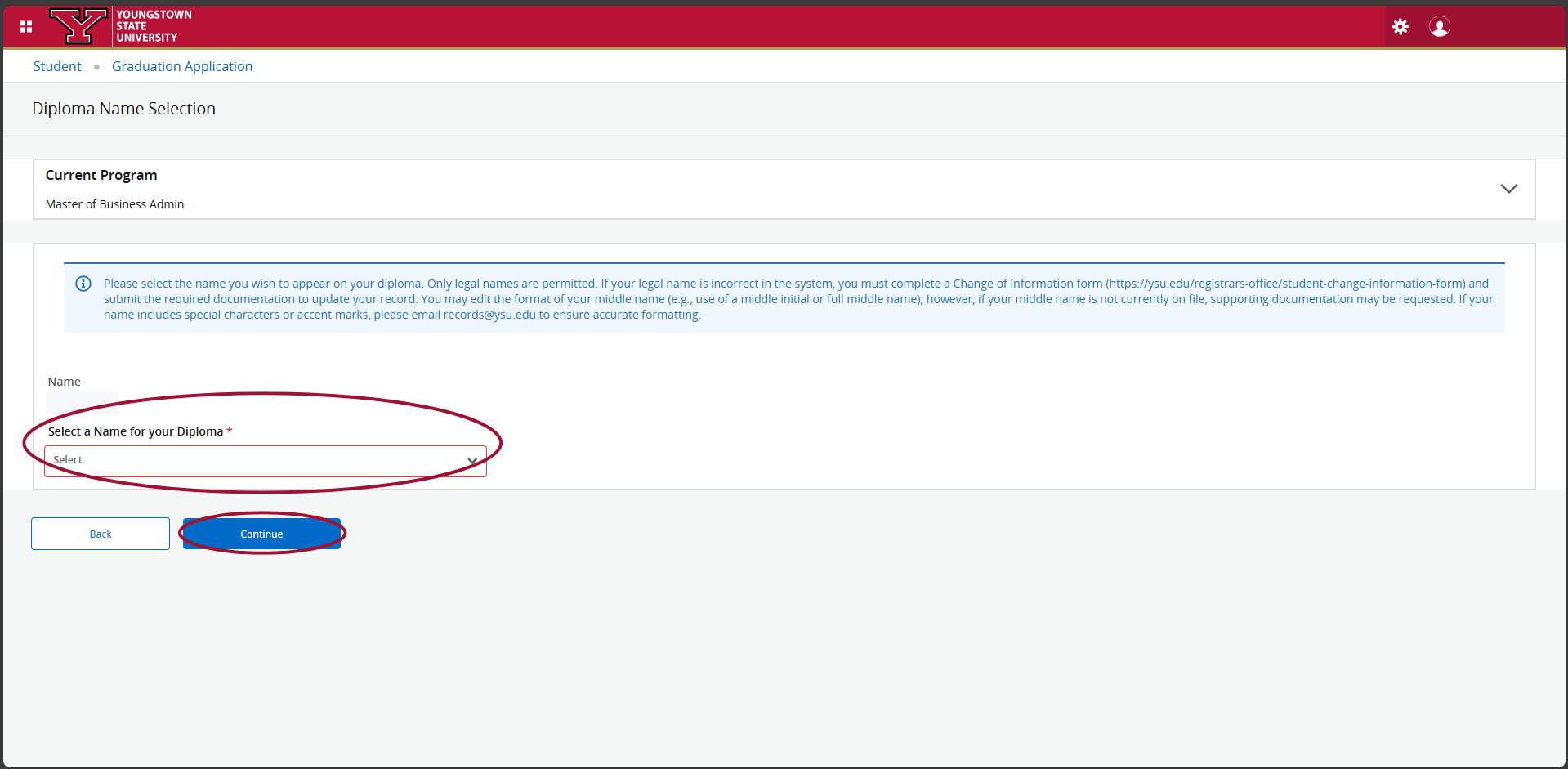
Open the dropdown to verify your name to be printed on your diploma; it must be your legal name and on file with the YSU Records Office, then select "Continue"
If you need assistance updating your legal name on your record, please contact the Penguin Service Center at onestop@ysu.edu.
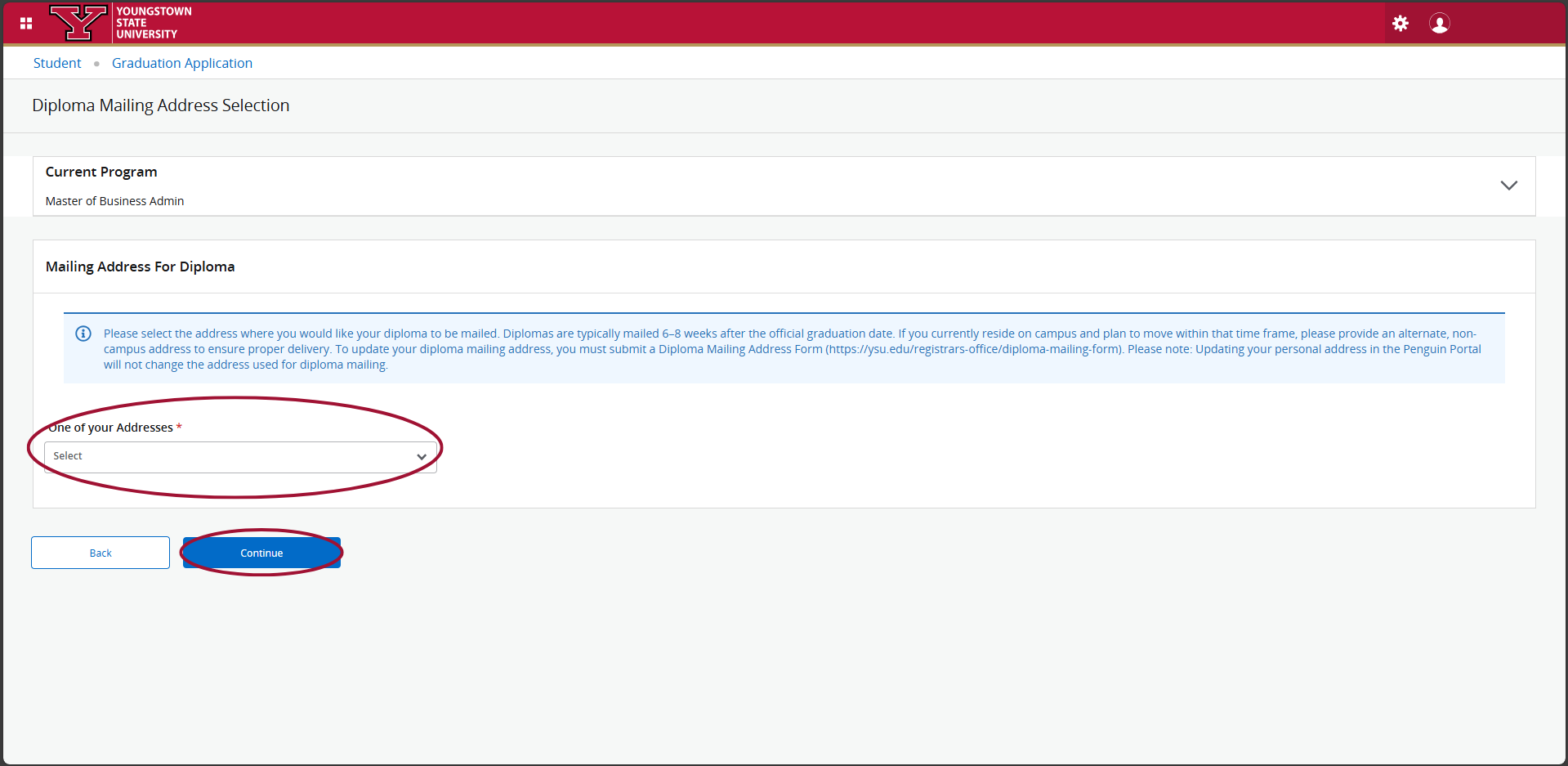
Open the dropdown to select an address to mail your diploma from one of your addresses on record. If necessary, enter your new address information.
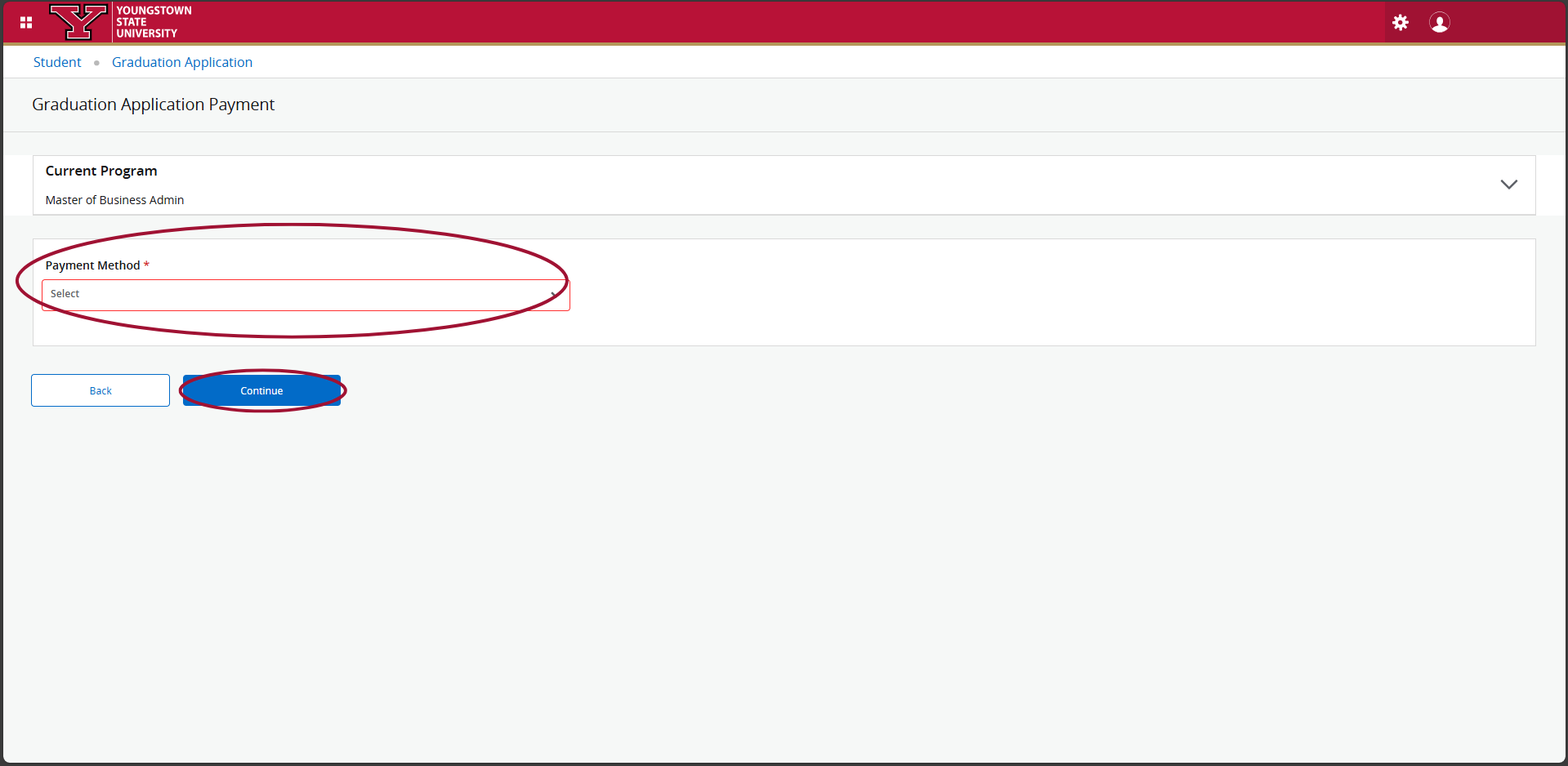
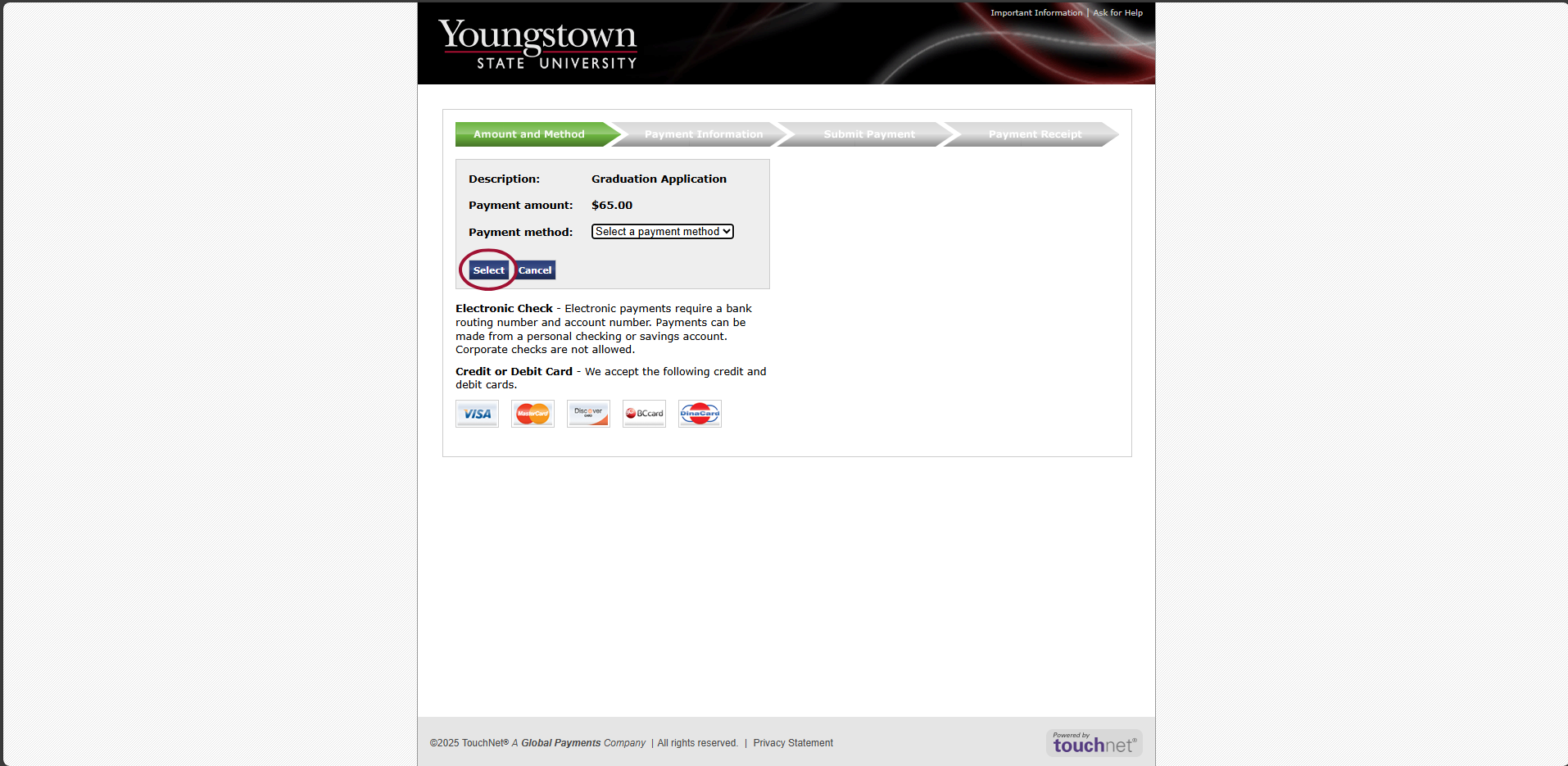
Open the drop down to select payment method for the graduation application fee (if applicable), then select "Continue"
If you're not sure if you will be required to pay the Graduation Application Fee, please visit Graduation Application Fees | YSU for more information.
Review your graduation application summary. If the informaiton on the summary is correct, select "Submit Request"
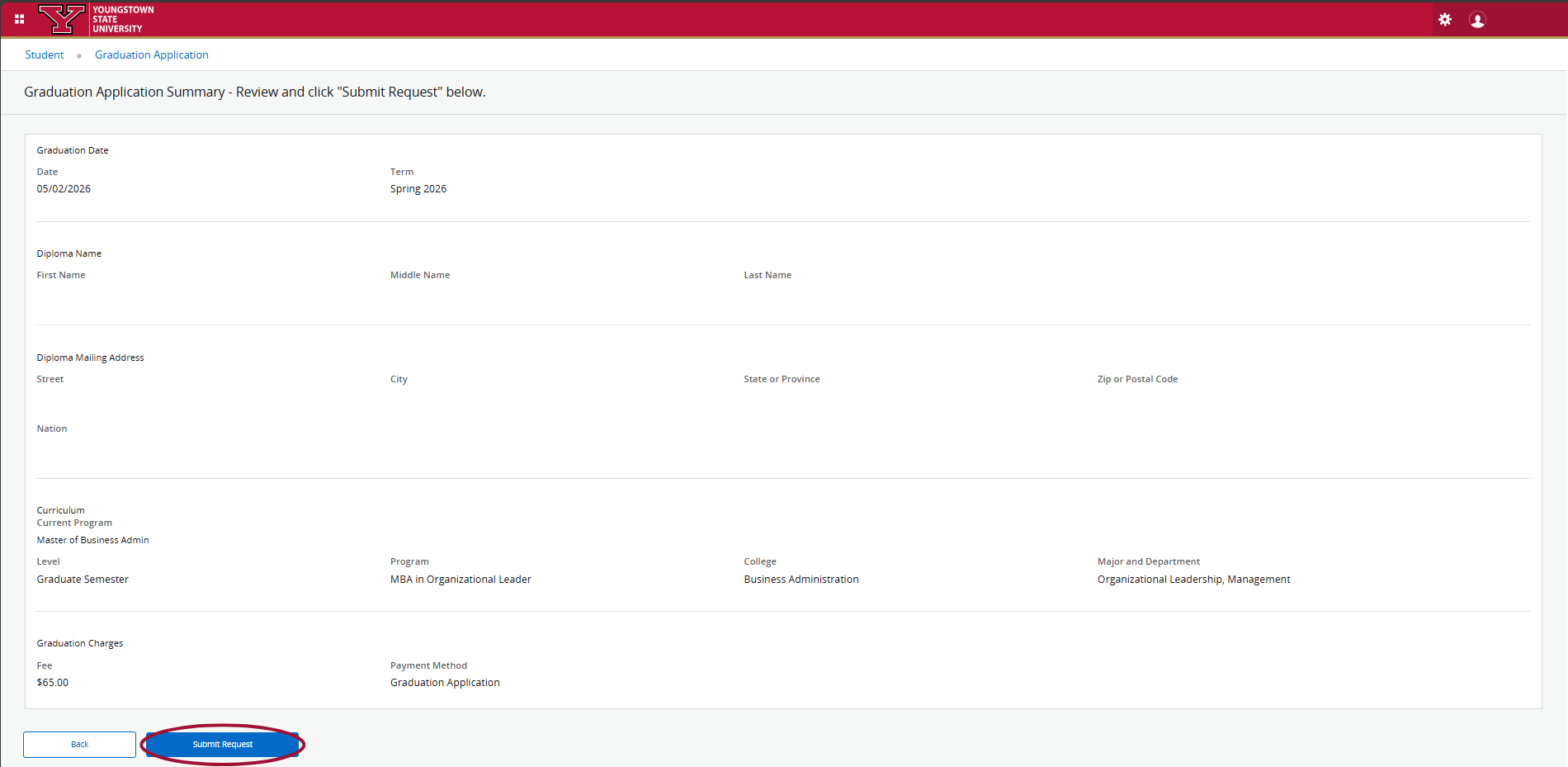
If you are required to pay the graduation application fee, you will be prompted to enter your payment information. You will receive a payment receipt to your email address.
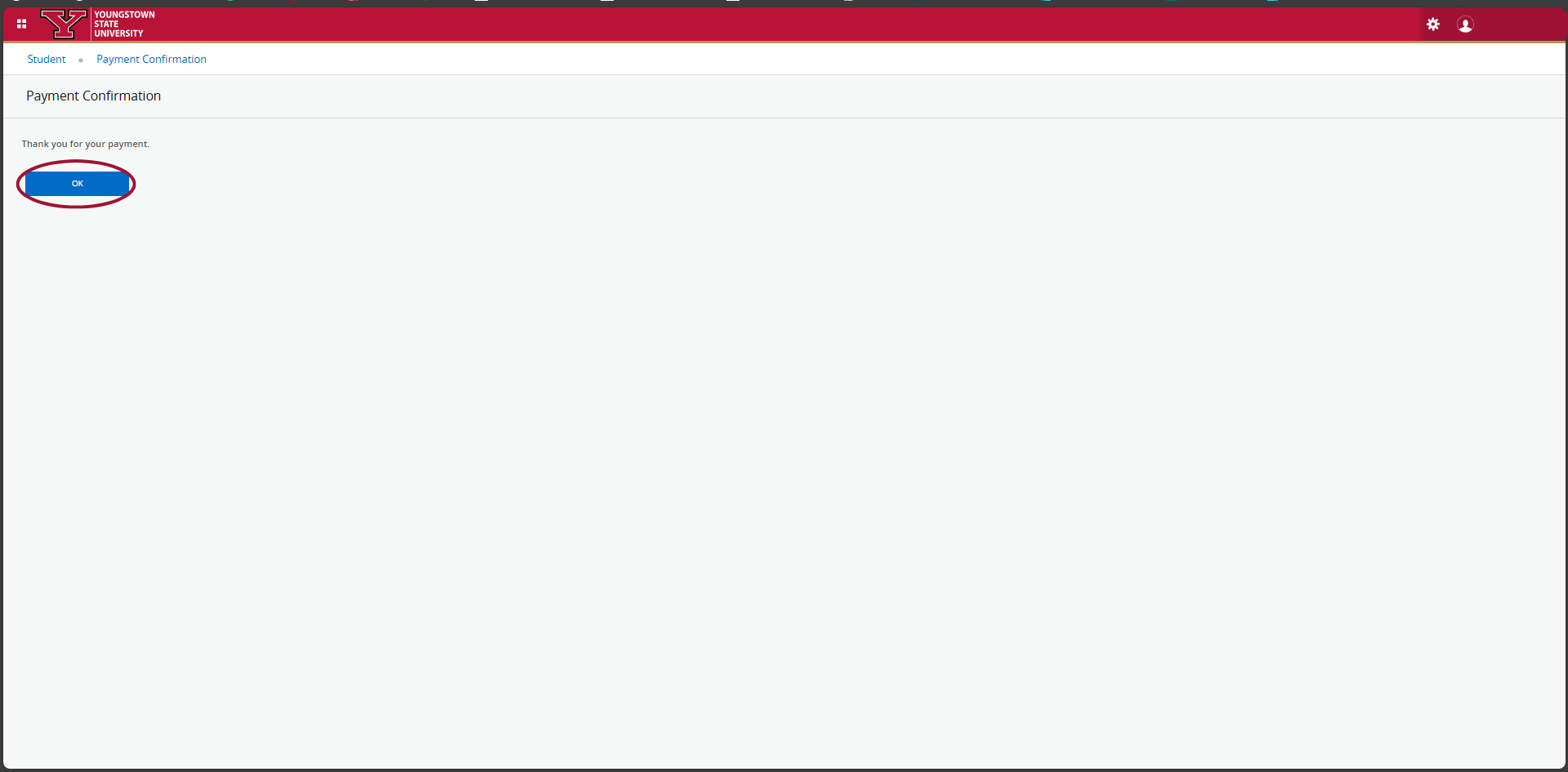
After submitting payment, click "OK" on the Payment Confirmation page.
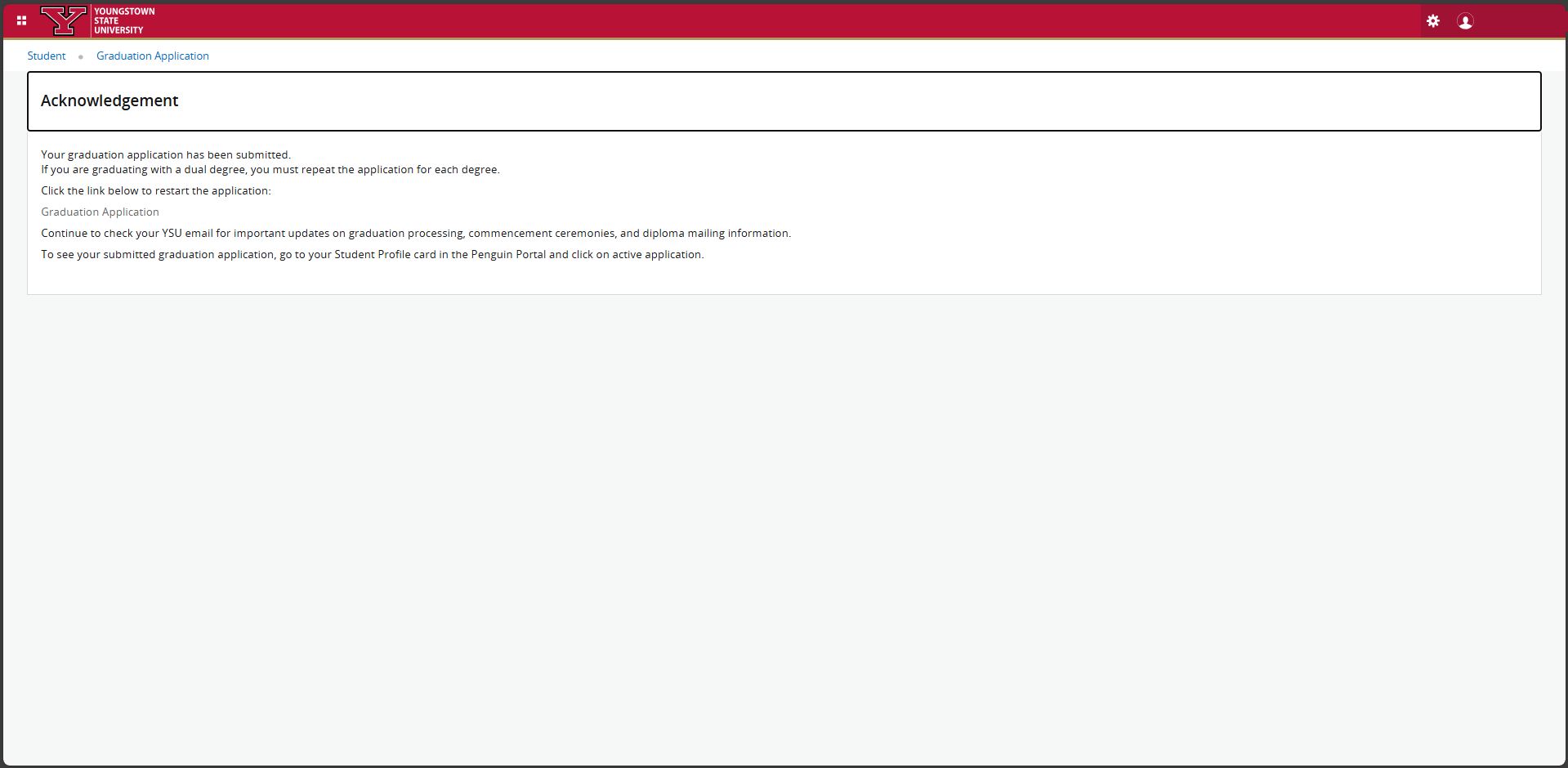
You will receive a message on the screen that indicates your graduation application has been submitted. Please print out this confirmation page for your records until after you have received your diploma.